slopmill and why it took me all week to write this one
Hello readers. Welcome to issue 23, keep reading to see if I got mad dunks like Michael Jordan (I don’t). We have already dedicated a few issues here to AI writing and this week I’m going to show you the tool I created and even give you a chance to use it. But before we get there, I have a couple quick updates from the news and discourse around AI this week. Thank you readers for sticking with us on this “long and winding road that leads” us to no place in particular.

I think I have this.
Slopmill took me all week
If you remember two weeks earlier (which feels like a year ago), I told you that I tried a new approach to writing this newsletter that would allow me to go faster that caused me to take twice as long to write the weekly newsletter. Well this week, I really outdid myself because I spent almost the entire week creating slopmill, which should allow all of you to write your own newsletter alongside your ai, in your own voice. I’m using slopmill to write this issue, which means the whole process has taken me the better part of a week, a new record!
Could Laya fit on my computer?
The discourse online is still very actively speaking about JEV and how that model is being tied in as a tool to work with the LLMs that we are all comfortable using. There’s also Laya, an open weight alternative to it from a different company, ConvAI Innovations.
|
↩ Previously · Issue 22 From last week’s issue, on Jev: “It is a very fast model that takes a situation in and hands back a decision, with a number attached saying how sure it is. You define the possible answers ahead of time and Jev returns all of its answers in parallel.” |
TypeSafe AI’s JEV and Laya from ConvAI Innovations are aimed at decisions your software has to make repeatedly. Laya’s weights are open under Apache 2.0, and you can run it yourself with pip install laya. ConvAI founder Nandakishor Mukkunnoth says he published the approach in March 2025, a year before JEV. His chart claims Laya is faster. Those are his benchmark numbers, so I would want to compare them on the same job in my own workflow.
Where would you put one? I would send both links to the LLM I already work with and ask it to find recurring decisions in my projects. If it knows the code and the history, it can point to a specific place to try JEV or Laya and explain how either might improve the work. Ask it how you would measure the result, too. What decision keeps coming up in yours?
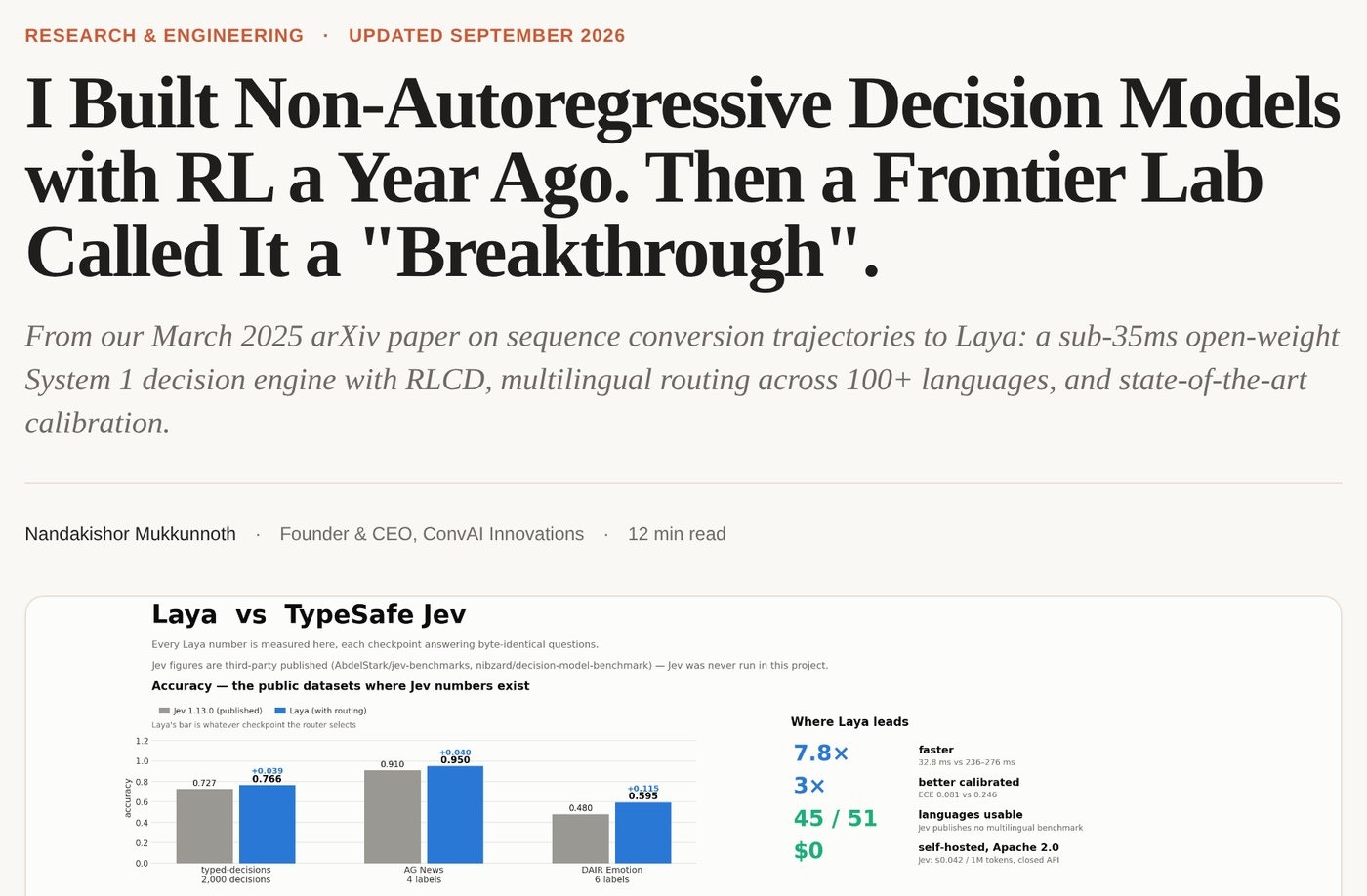
Laya’s launch page, with its founder’s own benchmark against Jev.
Wait, which model answered?
And then, on September 22, Anthropic released Claude Opus 5.5 and OpenAI released GPT-6 Sol and GPT-6 Luna. Opus 5.5 wrote most of slopmill’s code this week. GPT-6 Sol reviewed every piece before I saw it and drafted the prompted parts of this issue. I have had plenty of time with both.
The model name matters when you try to reproduce somebody else’s result. Claude’s free plan includes Sonnet and Haiku; Opus needs Pro or higher. ChatGPT’s free plan has unlimited text chats with GPT-5.6 Luna, the previous generation’s small model. Free users can try GPT-6 Luna in the desktop app, while Sol needs Plus or higher. So when somebody shows you what Opus 5.5 or Sol did, check the model name before you try the same prompt on a free account.
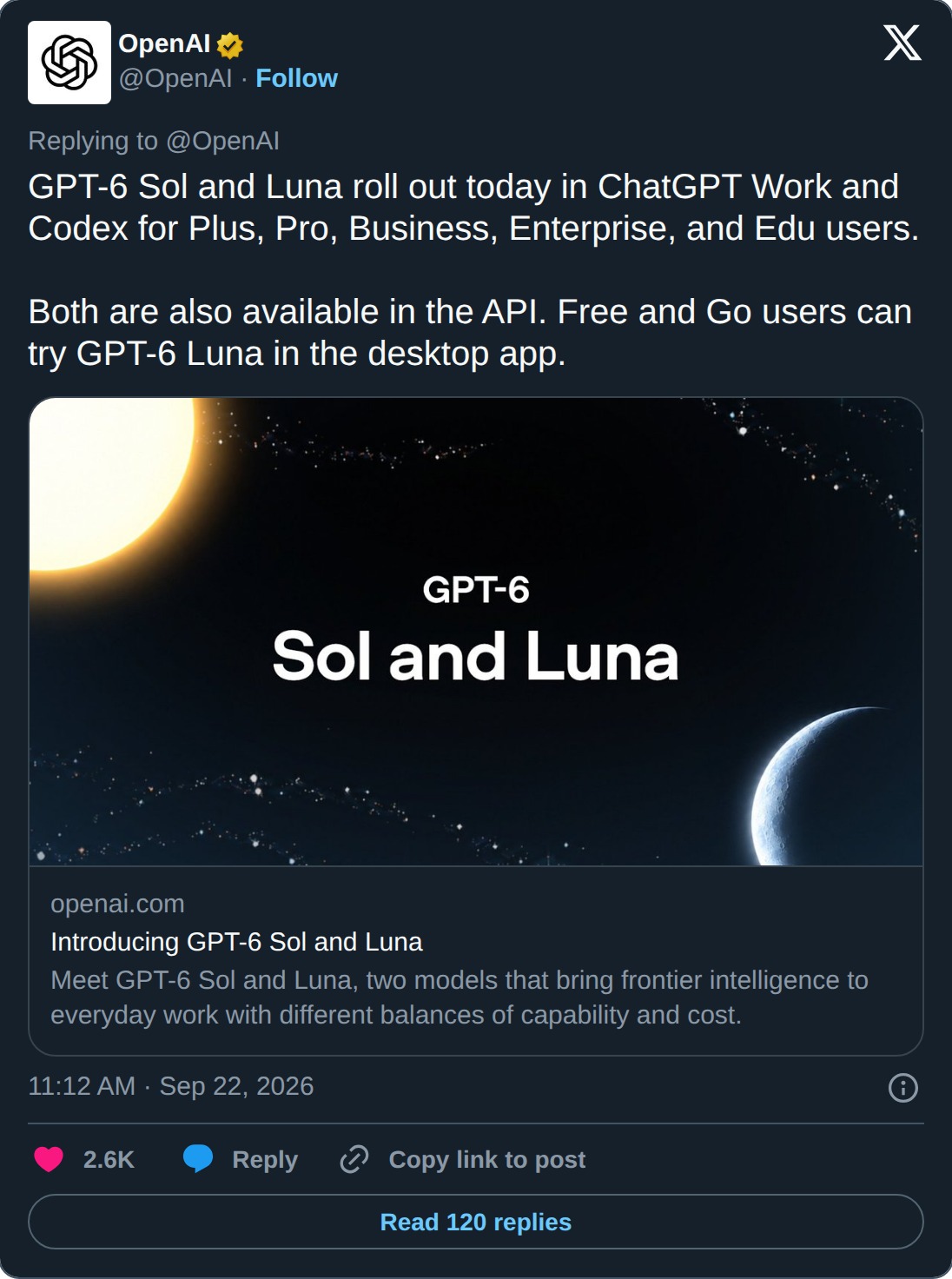
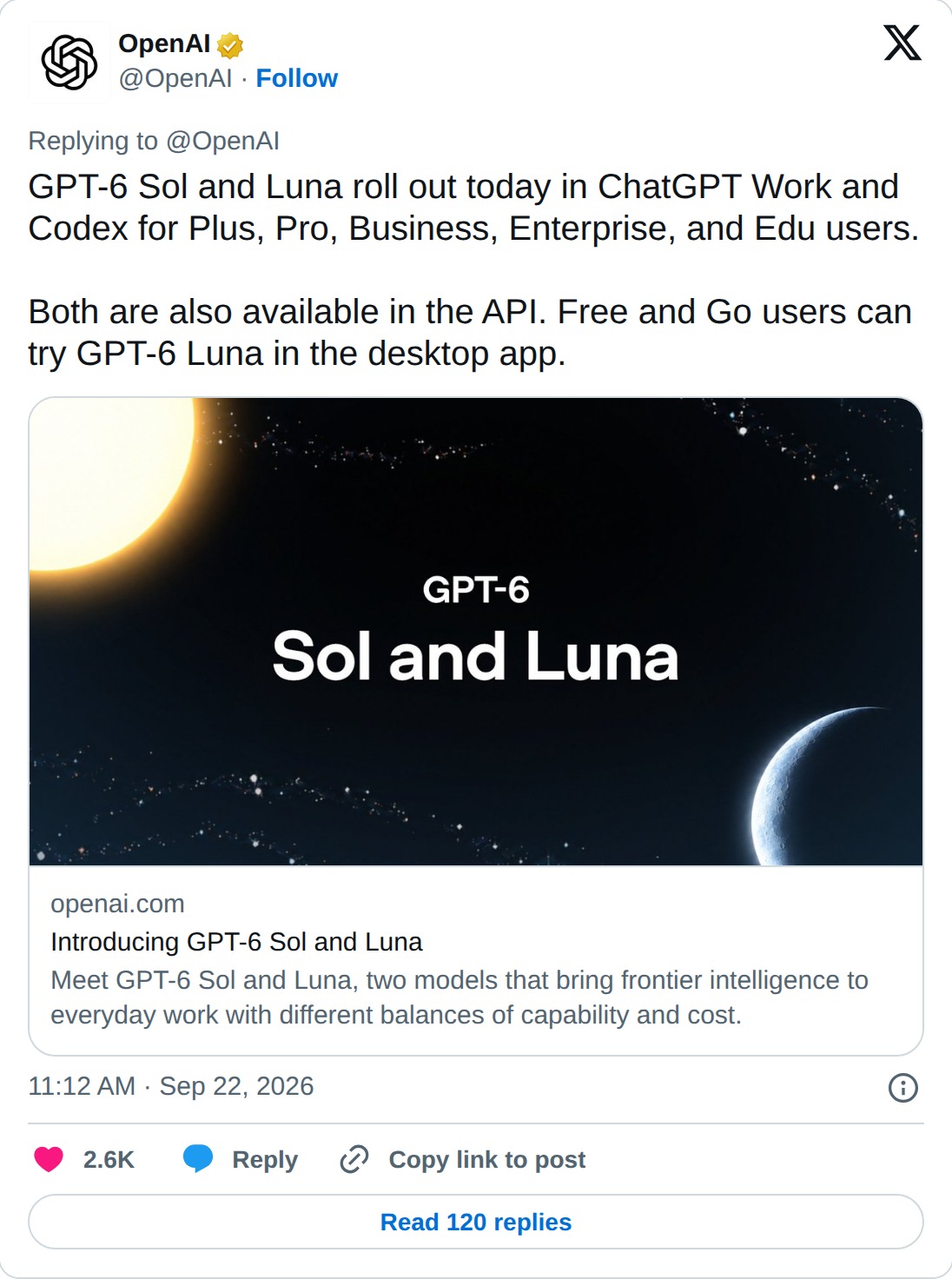
The post from OpenAI, September 22.
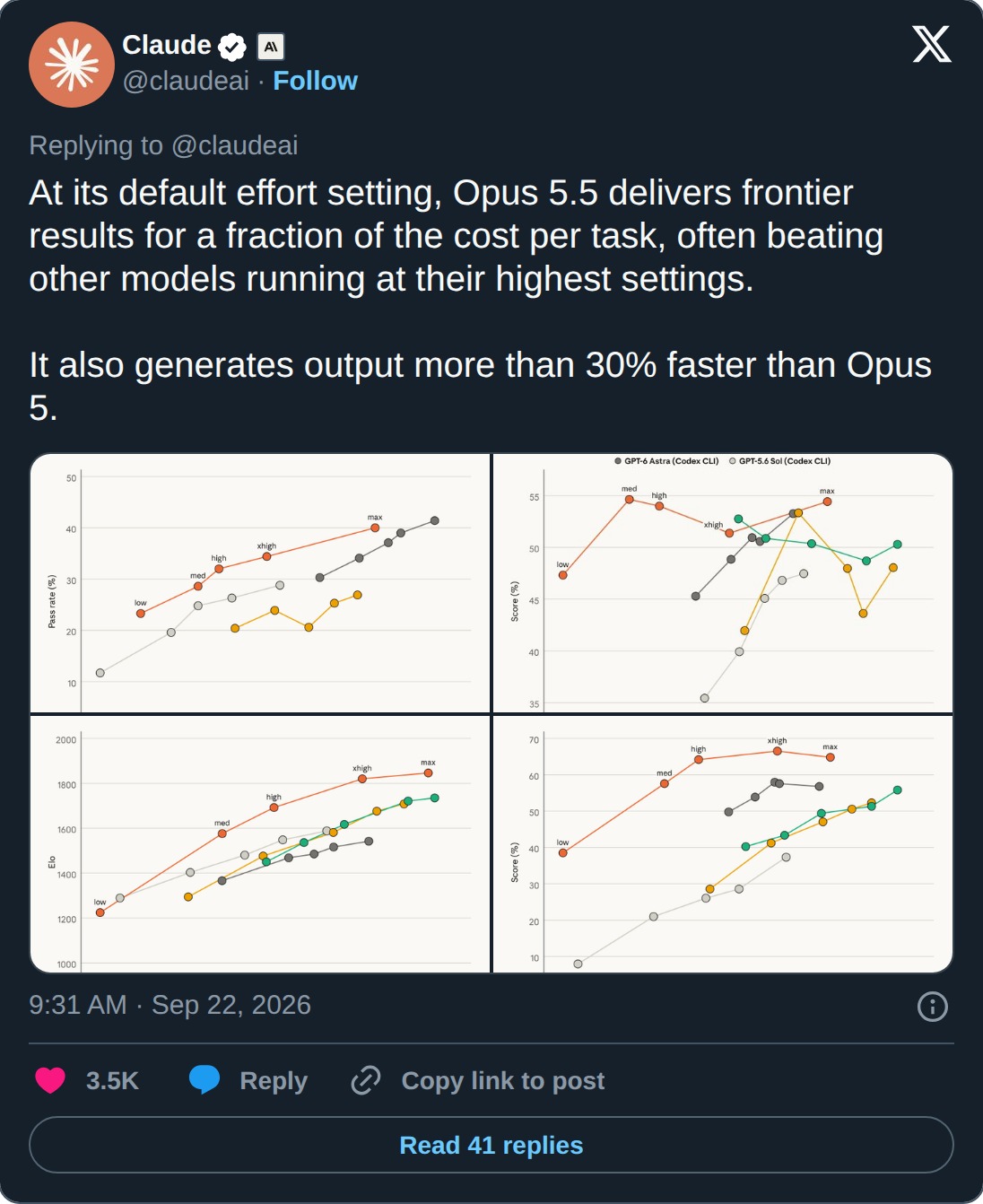
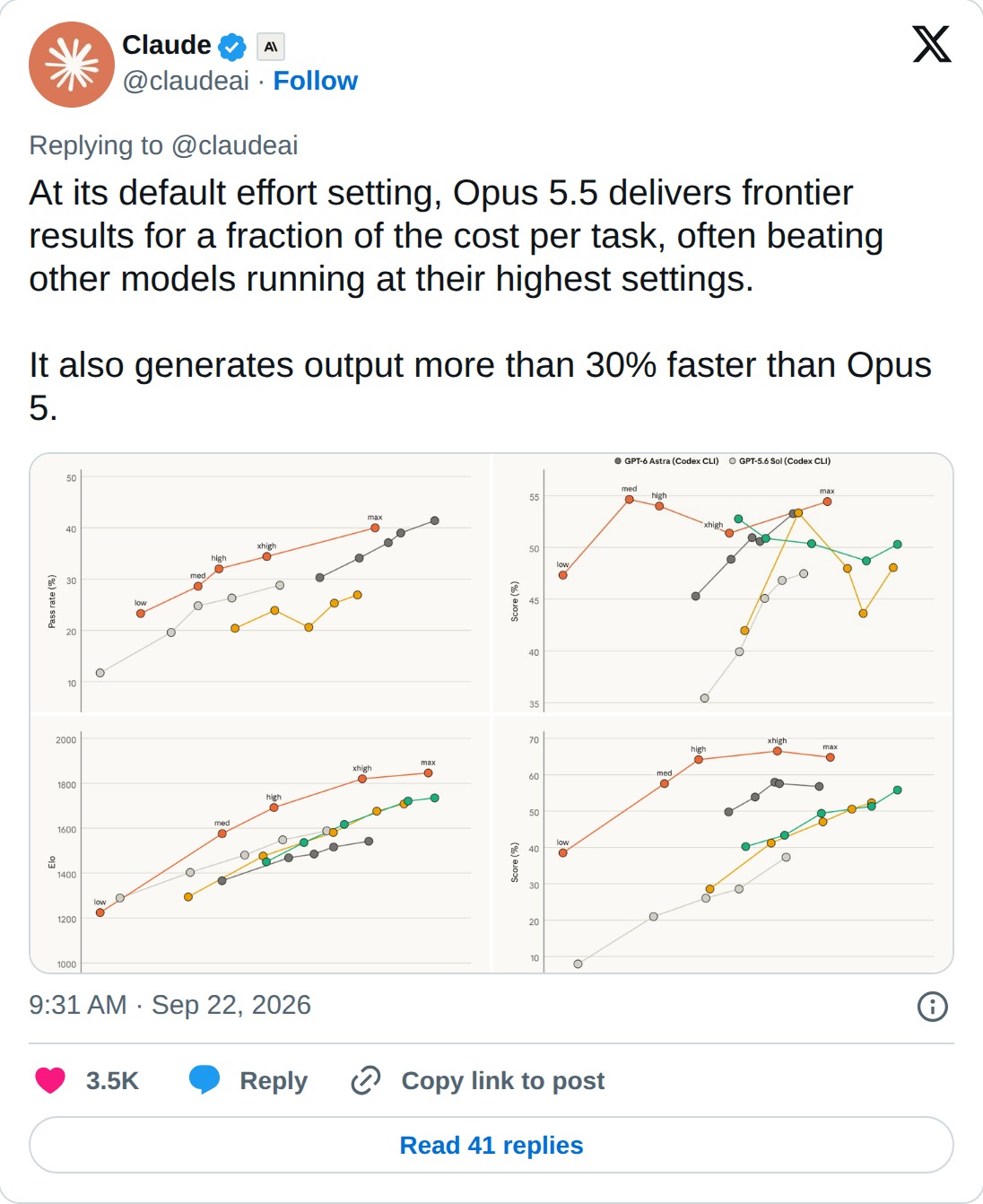
The post from Claude, September 22.
Each line in Claude’s charts follows one model’s score as its effort setting goes from low to max. Anthropic says Opus 5.5 at its default setting often beats other models at their highest settings, and generates output more than 30% faster than Opus 5. That is an interesting setting to compare if you are paying for the work each model does.
A cheaper flight sounds pretty good
I had a reader that told me how they recently booked a trip using AI to find flight deals and were very satisfied with the outcome. They used scheduled tasks in the ChatGPT interface and received alerts for any deals that hit their criteria. It’s interesting to think about the implications of AI for consumers. When you step away from the controversy surrounding the use of AI, for discovering new medicines, solving math problems, potentially ending humanity as we know it, and look instead at the consumer applications that might be solved or the ways our lives might be more manageable, maybe that is the way that AI wins the hearts of many.

The departures board at the TWA Flight Center, JFK. Photo by Warren LeMay, CC0.

The reader’s flight alerts had me thinking about an agent with a longer shopping list. Meta launched Muse on September 8, and TechCrunch reported that it reached the top of the U.S. App Store on September 18. It is Meta’s personal AI agent, running on its Muse Spark model. It can open a browser, fill out forms, negotiate, and keep working after you close the app. It asks for your approval before making a purchase. People are already using this thing.
At Meta Connect on September 23, Muse got a lot more places to shop:
- Walmart, Best Buy, Sephora, Gap, Wayfair and several more retailers.
- Shop Pay and PayPal for payments.
- Expedia is coming soon for travel. I would like to see what Muse makes of that reader’s flight-deal criteria (and whether it can keep up with their scheduled alerts).
Muse is also coming to Meta’s AI glasses. You will be able to look at a product on a shelf and ask Muse about it, which could make for a fairly expensive walk through a store.
As TechCrunch reported, Zuckerberg said on stage at Connect:
“We’re standing behind this by making Muse free for a huge number of tokens, with the expectation that over time we will profit by taking a small fee from transactions.”
So Meta wants to earn money when Muse helps you buy something. The checkout is part of the plan, which is worth remembering when you ask it to shop around. Watch what it recommends in the stroller demo.
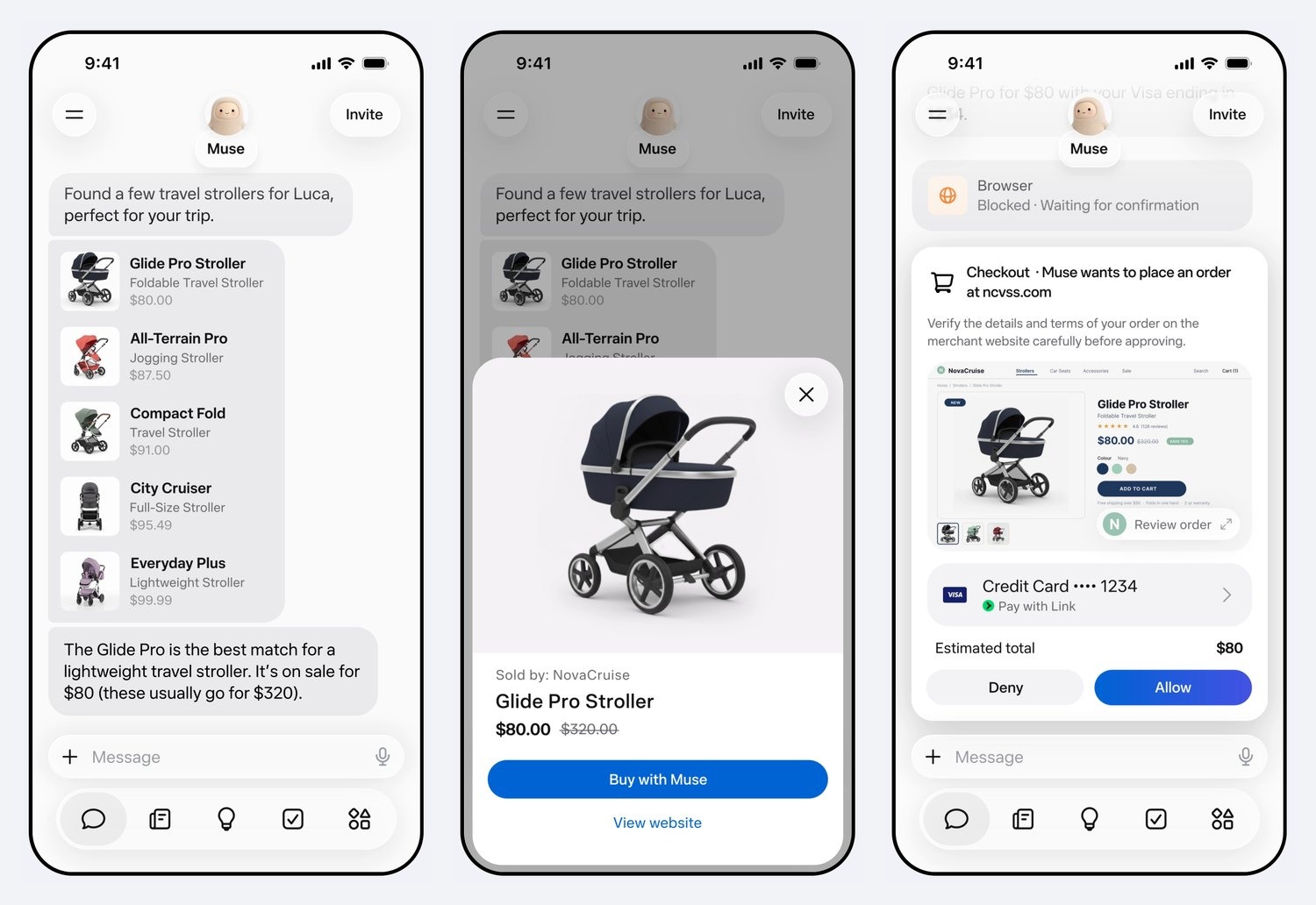
Muse shopping for a travel stroller in Meta’s launch video: it compares, picks one on sale, and waits for you to press Allow. Image: Meta.

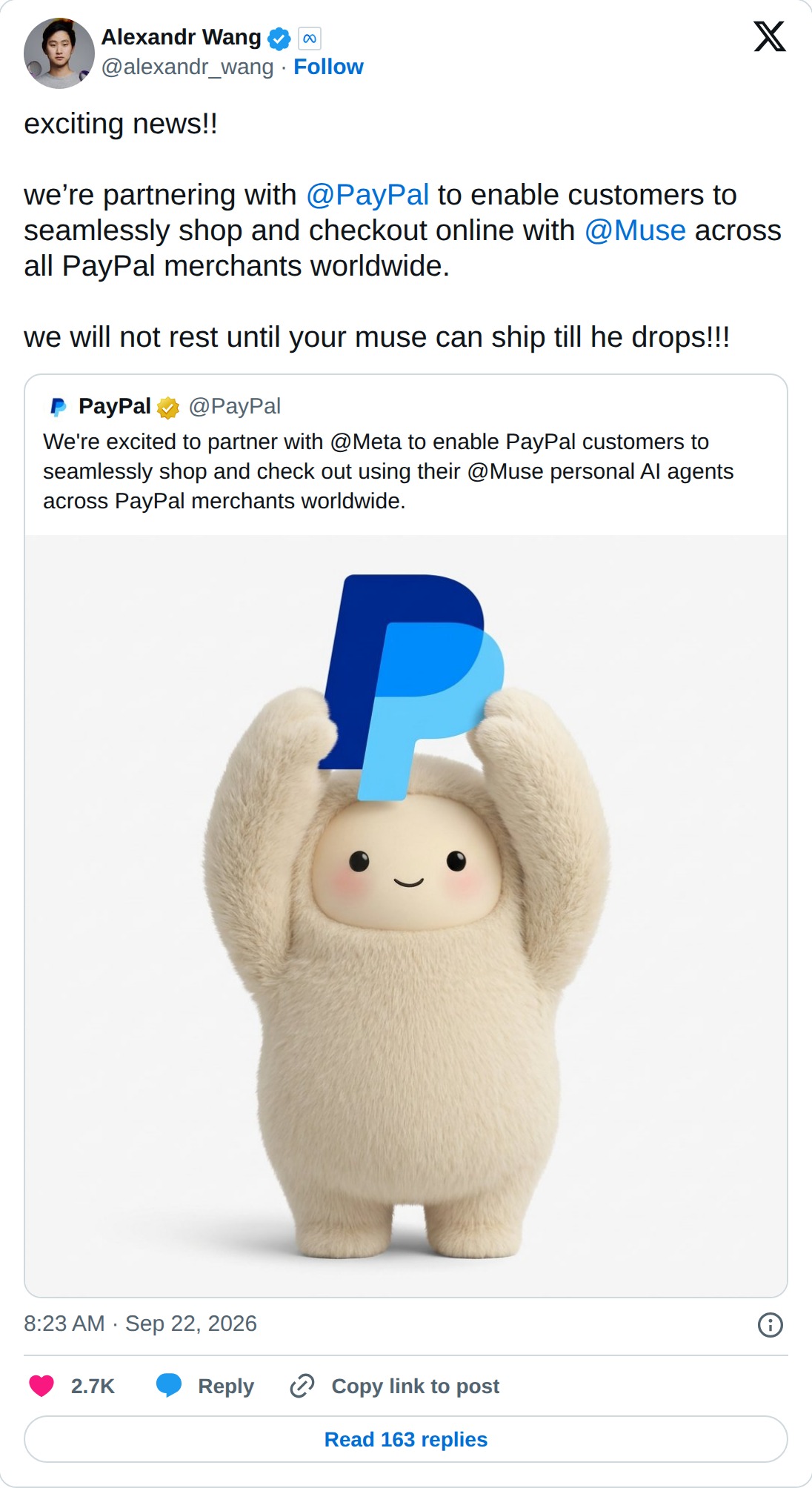
The post from Alexandr Wang, Meta’s chief AI officer, September 22.
A lot of different stuff happened this week. What are you experimenting with, or what did you hear about that sent you looking for more?
Below the fold, I’ll tell you how slopmill came together, how to give it your voice, and where you can try it for a week.
Until next week,
|
◆ Below the fold ◆ |
How slopmill came together, and a week to try it yourself.
Making slopmill
I started building slopmill on September 23. The next day it had a name. Claude Opus 5.5 wrote most of the code, and every piece went through review rounds by GPT-6 Sol before I saw it. I spent most of the week building a tool to help me write a newsletter. You saw how long the newsletter took.
This issue was written in it. I wrote the paragraphs I wanted to write, left prompts in the other places, and GPT-6 Sol drafted those parts in my voice. Then I could read them and give a direction to rewrite what needed changing. My own paragraphs stay as I wrote them unless I change them myself (including the grammar I intended to keep).
The process has three steps:
- Plan: write your words and leave prompts where you want help. Put facts you already have in the Background box.
- Draft: read each section, edit it, or give a direction for a rewrite. You can rewrite several sections at once.
- Proof: see the finished issue as a reader would, and run the spelling and grammar check.
Slopmill looks things up on the web before it writes each prompt. It can make pictures and charts, add section headings, suggest titles, and fact-check the whole issue, including the parts you wrote yourself. That check opens every link. When you’re done, download it as a web page, a Word file, or a zip.
The code is on GitHub. You can run it on your own computer with your own AI key. If you try writing something in it, tell me which section you spent the most time rewriting.

Plan: my words stay mine, and the blue boxes are the prompts.
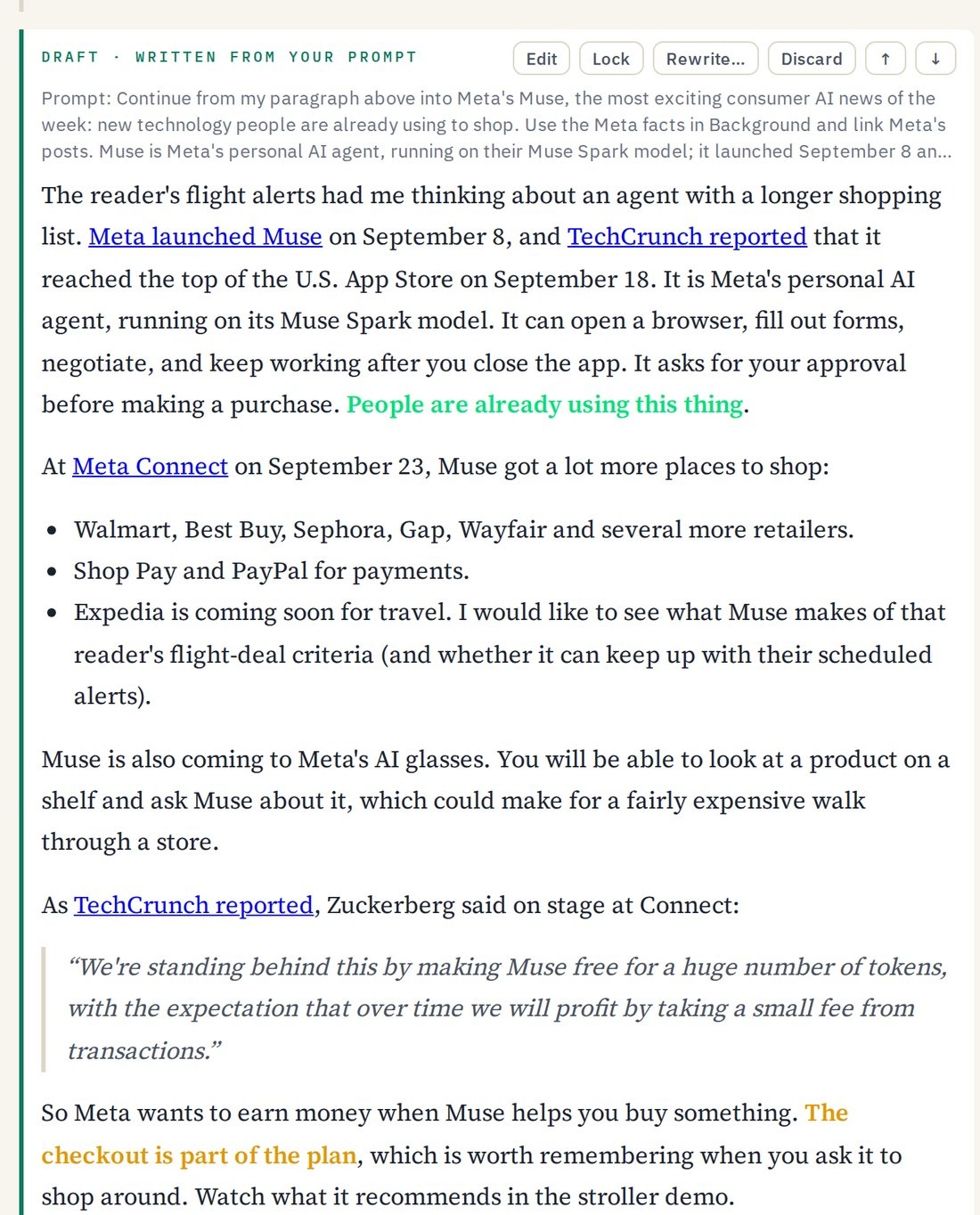
Draft: the Meta section as GPT-6 Sol wrote it, with a rewrite one click away.
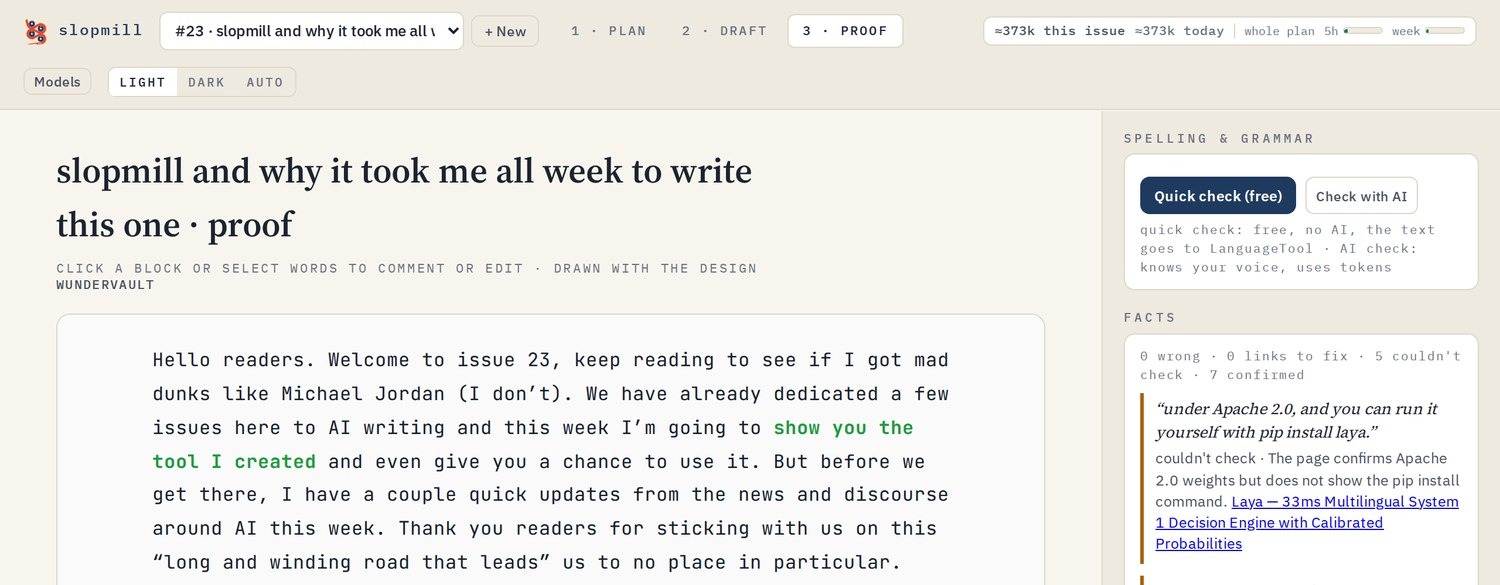
Proof: the issue as you’ll read it, with the spelling check and the fact check beside it.
Give slopmill your voice
The example voice pack writes like A. A. Milne using an essay and two chapters, all public domain in the US. That gives you something to try before you put your own writing into it (and maybe an urge to write about a bear). Slopmill reads the pack’s files before every pass, so the examples keep showing up while it drafts and rewrites.
For your own pack, start with three to five samples you wrote yourself, start to finish, about 800 to 1,600 words each. Leave out pieces an AI drafted or an editor rewrote. The model copies what it sees, including the stuff you might have wanted it to ignore. Then add a half-page writer file saying who you are writing for and the rules that matter most. An optional voice file records your habits, with a real line of yours showing each one.
Plain text .txt and Markdown .md files are what voice packs take. The shortcut is to hand your AI a few things you wrote and the guide, then ask it to draft the writer and voice files. Read those files yourself before you upload them under Voice, then Manage, then Upload files. Which of your old pieces would you give it?
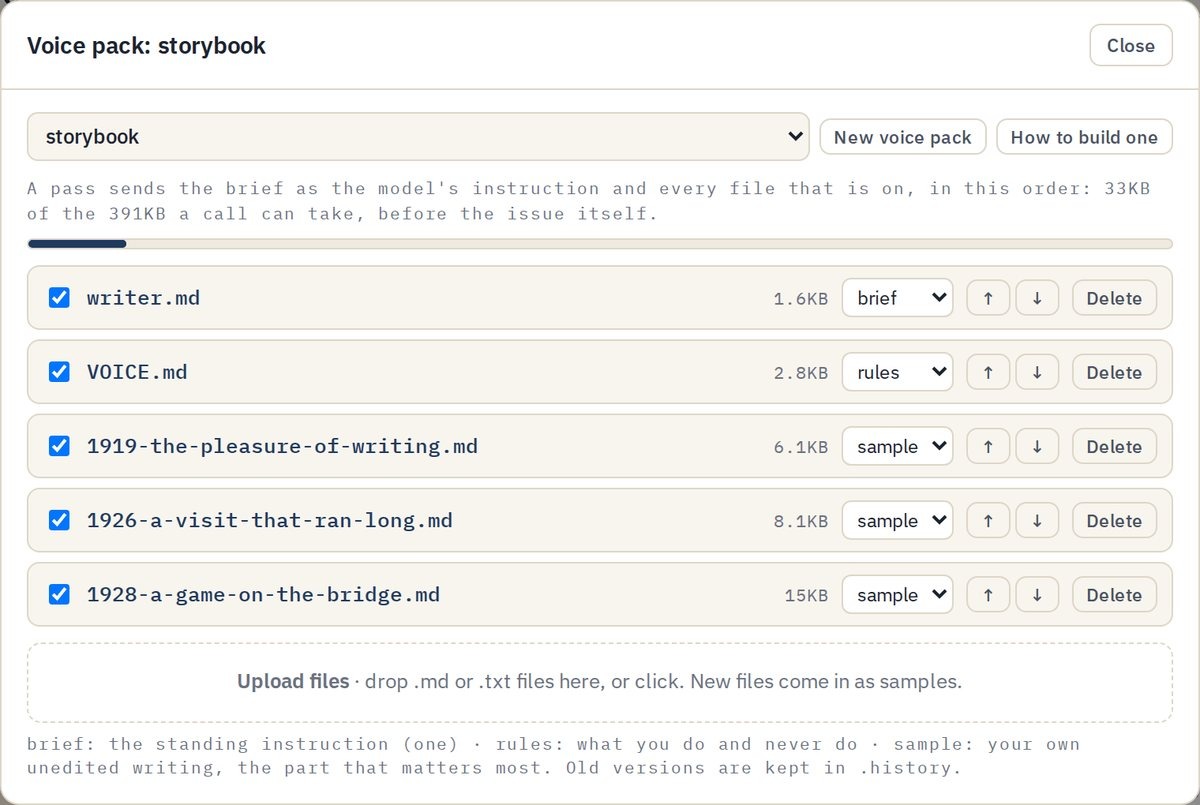
The example voice pack: a brief, a rules file and three samples of Milne.
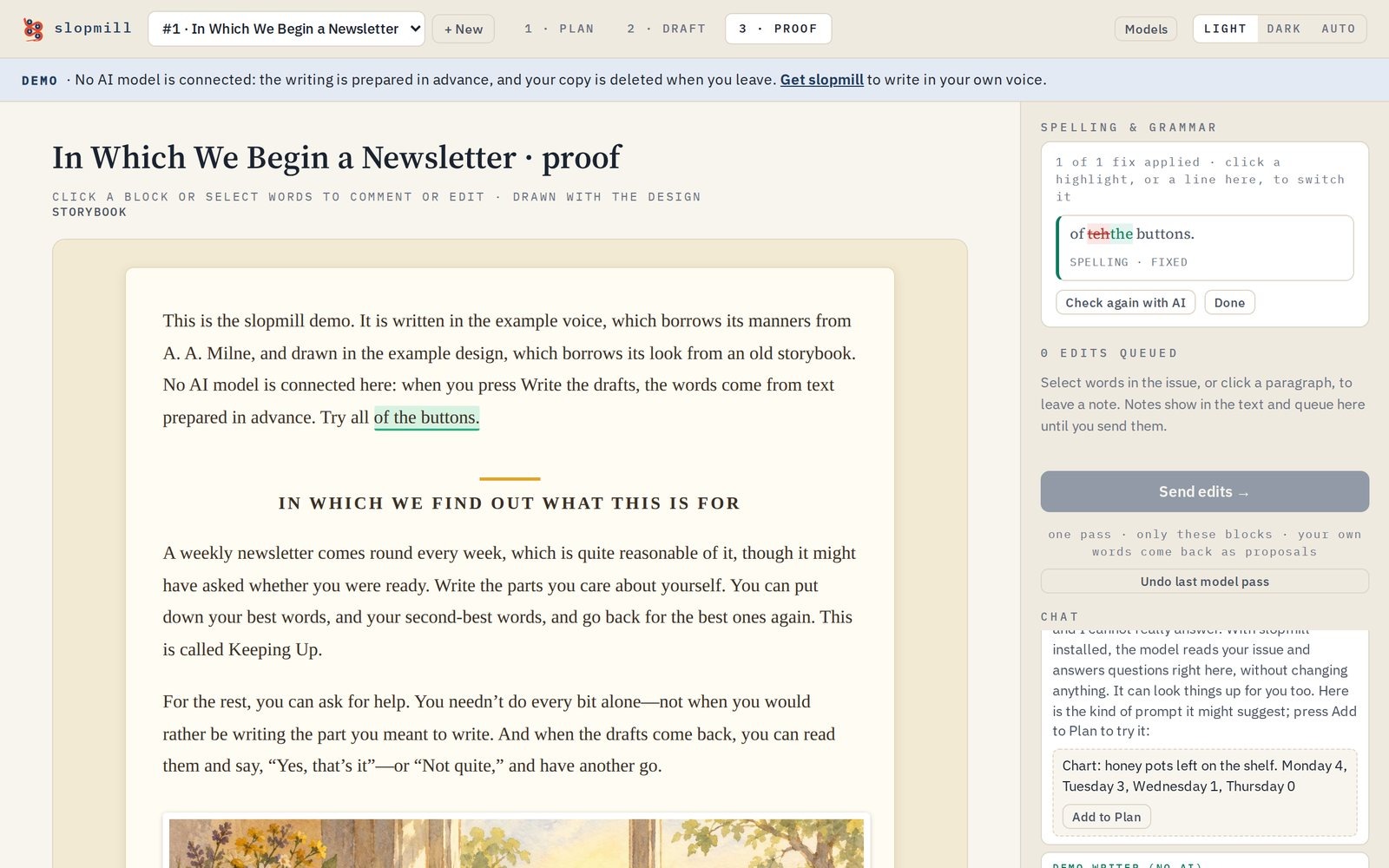
The demo issue, written in the Milne voice.
Want to try slopmill yourself?
If you want to poke at it before installing anything, try slopmill here. You’ll get a private workspace with a practice issue, so you can start changing words without first figuring out what to write about. Or bring your own idea.
The trial runs for one week from when this issue goes out, or until $10 of AI credit is used, whichever comes first. Everyone shares that $10, so it might end early. Research is on. AI pictures are off because they cost far more than text, though you can upload your own pictures.
Your workspace lasts while you use it, so download your issue before you leave. If you want to keep going, you can install slopmill for free and use your own AI key on your computer. What did you make, and what broke?
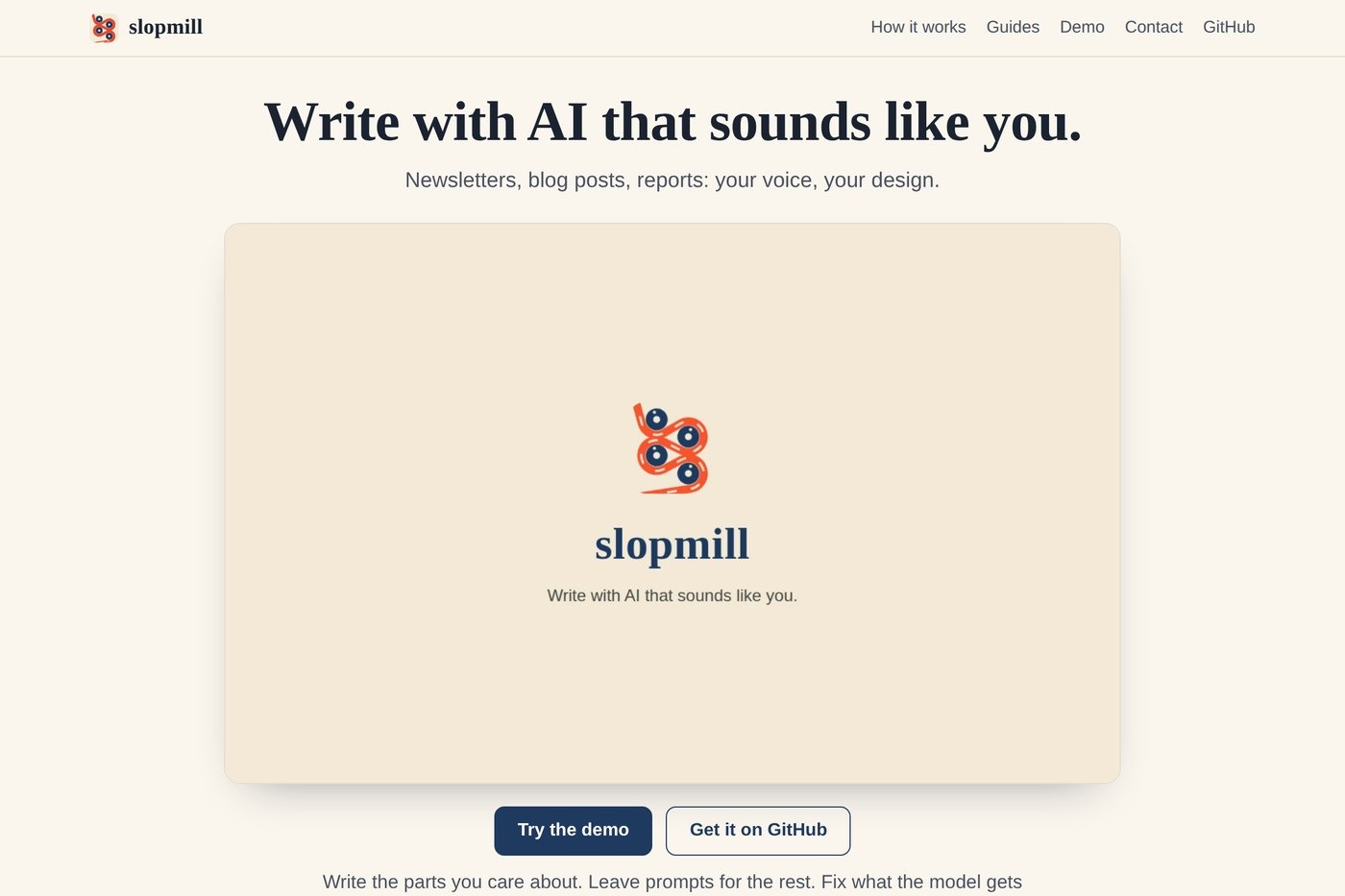
slopmill.org, with the demo and the free install.
“It’s a plan of my own invention. You may try it if you like.”— The White Knight, Through the Looking-Glass